⚡ AI Search · AEO · GEO

AI Search Readiness Checker

Is your website ready for ChatGPT, Perplexity, Claude and Google AI? Enter a URL to get one combined score across classic SEO, AEO, GEO and speed — with clear fixes for everything that fails.

How does the AI Search Readiness Checker work?

The tool fetches your page and your site's robots.txt, llms.txt and sitemap.xml directly in your browser, then runs Google PageSpeed Insights for Core Web Vitals. It scores four areas — SEO, AEO, GEO and speed — and every failed check comes with a one-line reason and a one-line fix, so you know exactly what to change first.

  1. Enter a URL. Your homepage or any important page — https is added automatically.
  2. Check readiness. The page, robots.txt, llms.txt and sitemap.xml are analysed, then speed is measured (the speed step can take 20–30 seconds).
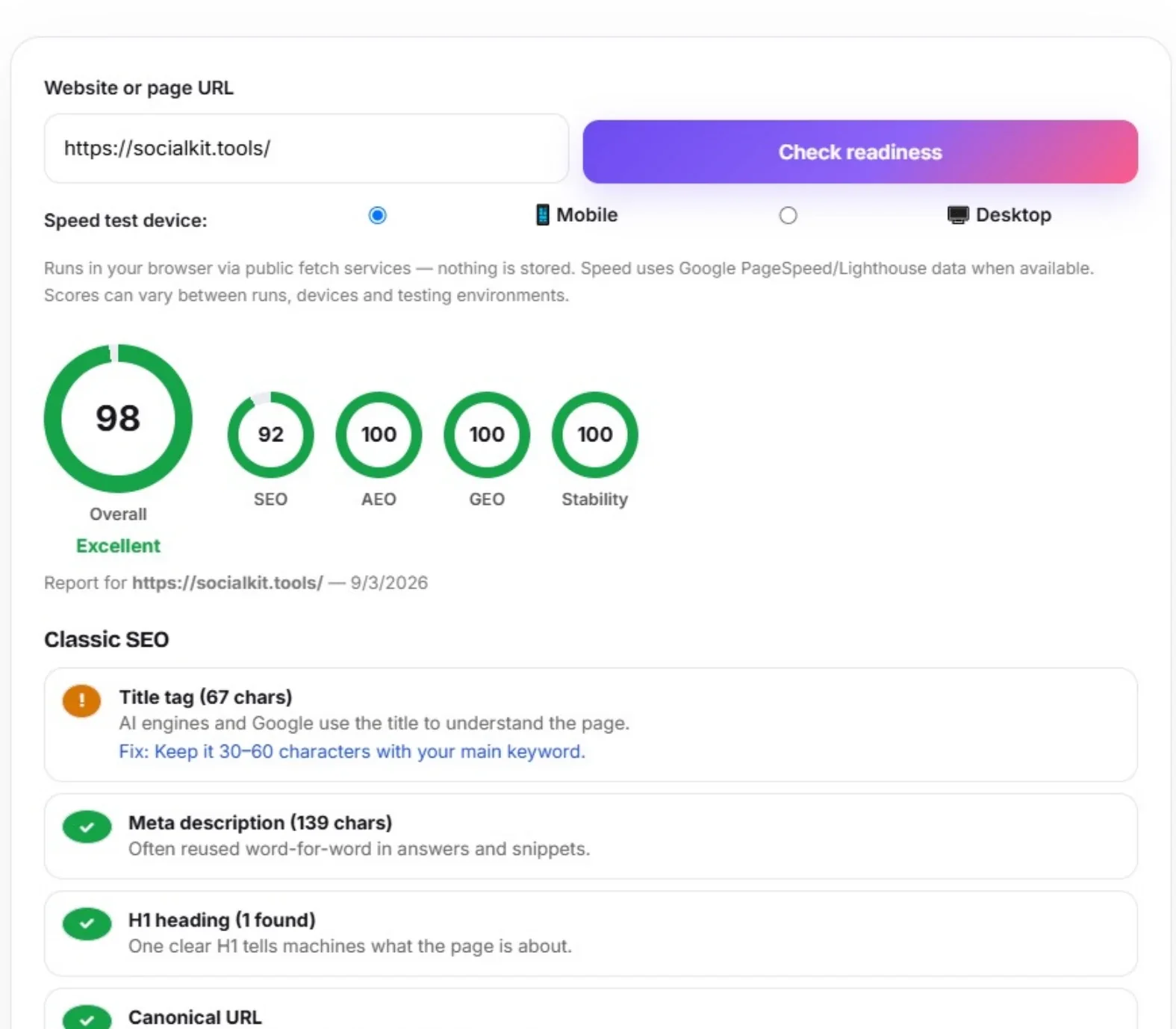
  3. Read the four scores. SEO, AEO, GEO and Speed each get 0–100, combined into one overall tier.
  4. Apply the fixes. Work through the red and amber items top to bottom — each has a specific fix line.
  5. Save the report. Print or save as PDF straight from your browser, then re-check after your changes.

What is checked in each category?

Each category looks at the signals that actually decide whether a machine can find, read and reuse your content. Classic SEO covers the crawl basics, AEO covers answer extraction, GEO covers AI citation, and Speed covers Core Web Vitals — together they show how visible you are in both old search and new AI answers.

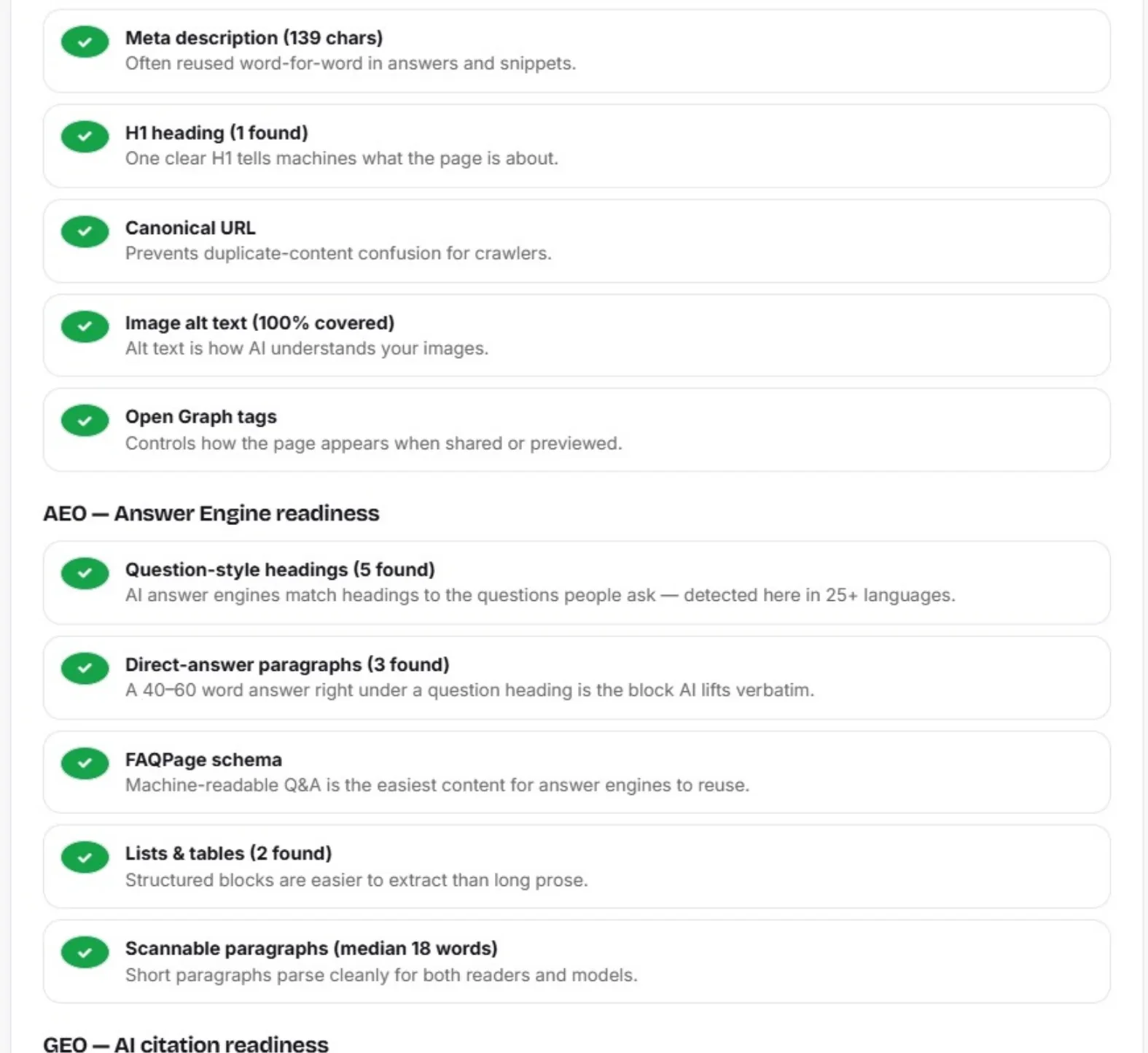
  • Classic SEO — title and meta description length, a single H1, canonical URL, image alt coverage and Open Graph tags.
  • AEO (Answer Engine) — question-style headings and 40–60 word direct-answer paragraphs (detected in 25+ languages, from Hindi and Arabic to Japanese), FAQPage schema, lists/tables and scannable paragraph length.
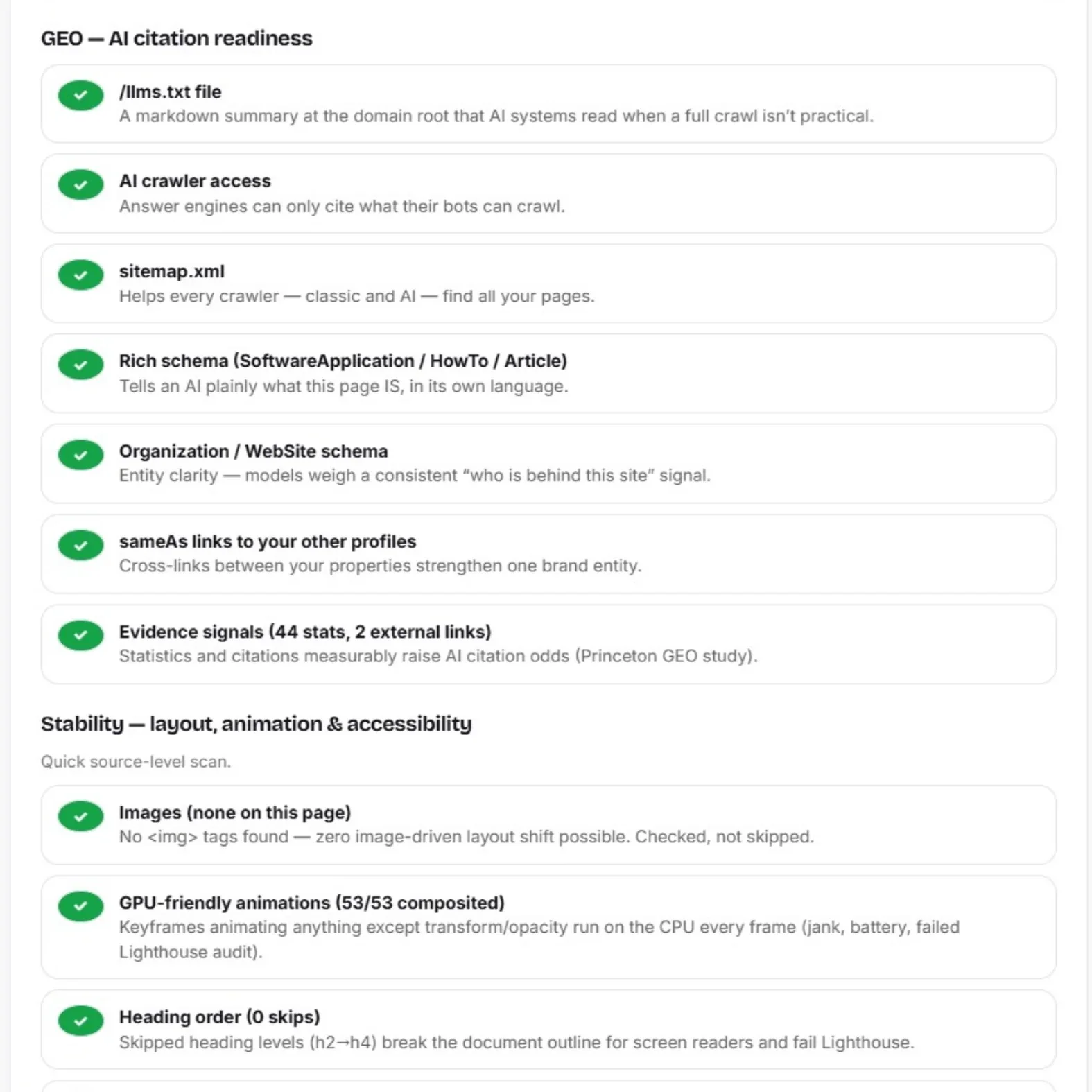
  • GEO (Generative Engine) — /llms.txt, robots.txt access for GPTBot, ClaudeBot, PerplexityBot, Google-Extended and CCBot (see llmstxt.org for the standard), rich schema types, Organization schema with sameAs links, evidence signals (statistics + external citations) and sitemap.xml.
  • Speed — mobile performance score, LCP, CLS and INP from Google PageSpeed Insights.
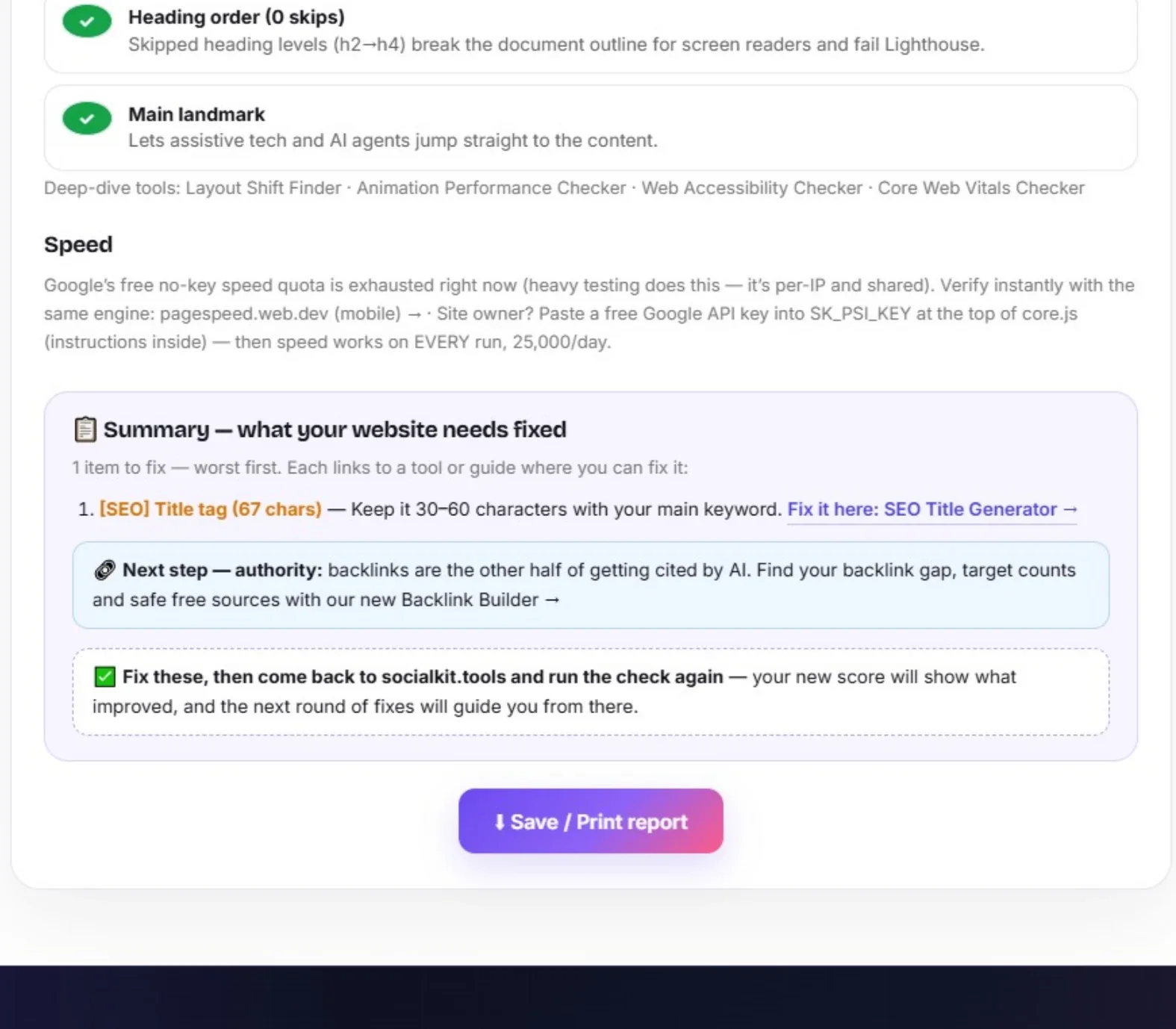
  • Stability — image dimensions, GPU-friendly animations, heading order and the main landmark, with links to four dedicated deep-dive tools.

How AI search works: engines like ChatGPT, Perplexity and Google AI read your page, extract direct answers and cite the clearest source — which is exactly how AI search is changing SEO in 2026. This AI search readiness checker tool (often searched as the “best AI search readiness checker free”, or simply an AEO GEO checker) scores all of it in one run: answer-ready headings, structured data, llms.txt, crawlability and speed — with a specific fix for every fail.

Frequently asked questions

It is a single 0–100 score showing how ready a website is for AI-powered search. It combines four sub-scores — classic SEO, AEO (can answer engines extract your content), GEO (can AI models find and cite you) and page speed — so you see the full picture in one report.
AEO (Answer Engine Optimization) is about being the direct answer, not just a ranked link. It checks things classic SEO ignores: question-style headings, short direct-answer paragraphs, and FAQPage schema — the exact blocks that AI Overviews and featured snippets lift from a page.
GEO (Generative Engine Optimization) means being cited by name when ChatGPT, Perplexity, Claude or Gemini answer a question. This tool checks the GEO essentials: whether AI crawlers like GPTBot are allowed in robots.txt, whether an /llms.txt file exists, and whether the page carries rich schema and evidence signals like statistics and citations.
Slow, bloated pages are harder to crawl and parse, and Core Web Vitals remain a ranking input for the classic results that many AI answers are built from. The tool pulls mobile LCP, CLS, INP and an overall performance score from Google PageSpeed Insights.
Completely free, no sign-up, no limits. The check runs in your browser using public fetch services and Google's PageSpeed Insights API — nothing you enter is stored.
Some sites block automated fetching, and the browser-based fetch service can occasionally time out — that is a technical limitation of client-side checking, not necessarily a problem with your site. The tool never bypasses a site's robots.txt rules; if a site blocks bots, that is reported as a finding. Wait a minute and try again, or test a different page. Full troubleshooting (incl. Cloudflare AI blocks): see our fix guide.
Re-check after every meaningful change — new schema, new content structure, robots.txt edits — and then about once a month. AI platforms update their crawlers and answer formats frequently, so a monthly check keeps your score honest.
Yes. Question-heading and direct-answer detection covers 25+ languages — Hindi, Hinglish, Arabic, Urdu, Bengali, Tamil, Telugu, Marathi, Gujarati, Punjabi, Kannada, Malayalam, Russian, Spanish, Portuguese, French, Indonesian, German, Turkish, Italian, Japanese, Korean and Chinese — with script-aware word counting, so non-English sites are scored fairly.
Yes — it scores answer-engine optimisation (AEO) and generative-engine optimisation (GEO) alongside classic SEO and speed, in one 0–100 report.
It checks your robots.txt for AI crawlers like GPTBot and ClaudeBot, plus your llms.txt and sitemap — the signals that decide whether AI search tools can find and cite your pages.
The checker fetches those files through public fetch services that briefly cache responses — so a fix can take a few minutes to show. It already retries with cache-busting; if a check still looks stale, wait 5–10 minutes and run it again.
Results are built per site: every check only runs against what actually exists on that page. A site with CSS animations gets them tested for GPU-friendliness; a site with none shows “none on this page — checked, not skipped.” The same applies to images and other conditional checks.
Wrap your page’s main content in a
element — opening right after your header and closing before your footer. It’s a two-line change that helps screen readers and AI agents jump straight to the content, and it clears the Lighthouse audit.
No — that’s the tool working. Each flag corresponds to something genuinely present or missing on that specific site (a missing llms.txt, a non-composited animation, a long title). Fix the item, re-run, and the flag turns green.

More creator tools