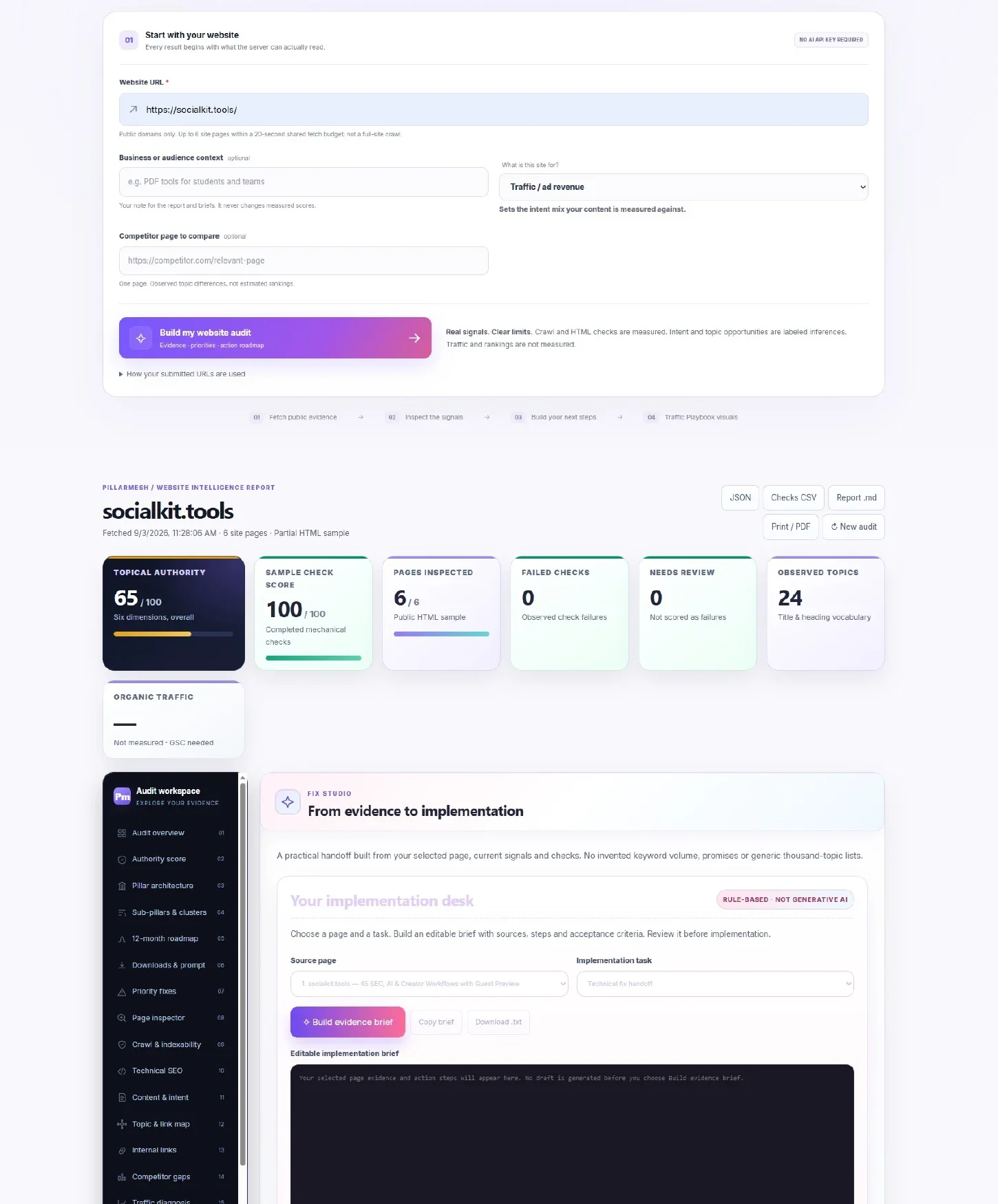
Report view 1
Start with the audit overview.
See the submitted site, summary cards and opening evidence in one place so you can quickly understand the scope of the report.
SOCIALKIT STUDIO / WEBSITE INTELLIGENCE
Turn real website evidence into a clear growth roadmap. Uncover crawl issues, explore your content and know what to fix next.
SEO Website Audit • Topical Authority • Internal Links • Technical SEO Evidence
YOUR WEBSITE INTELLIGENCE WORKSPACE
Read the evidence. Explore the details. Leave with a prioritized plan.
Explore the recorded report, then use the written guide to connect page evidence with the next checks to make.
Silent recording. Use fullscreen for a closer look. Video loads when you press play.
Supporting reference for this walkthrough
The available recording is 720p. Scores describe the sampled evidence; they do not measure traffic or guarantee rankings.
Recorded example. Your inputs and results will differ. Current plans and limits apply; some recorded interface labels may be older.
See how PillarMesh organizes the audit from the opening evidence summary through technical checks, topical structure and the action playbook. Open any example to inspect the details.
See the submitted site, summary cards and opening evidence in one place so you can quickly understand the scope of the report.
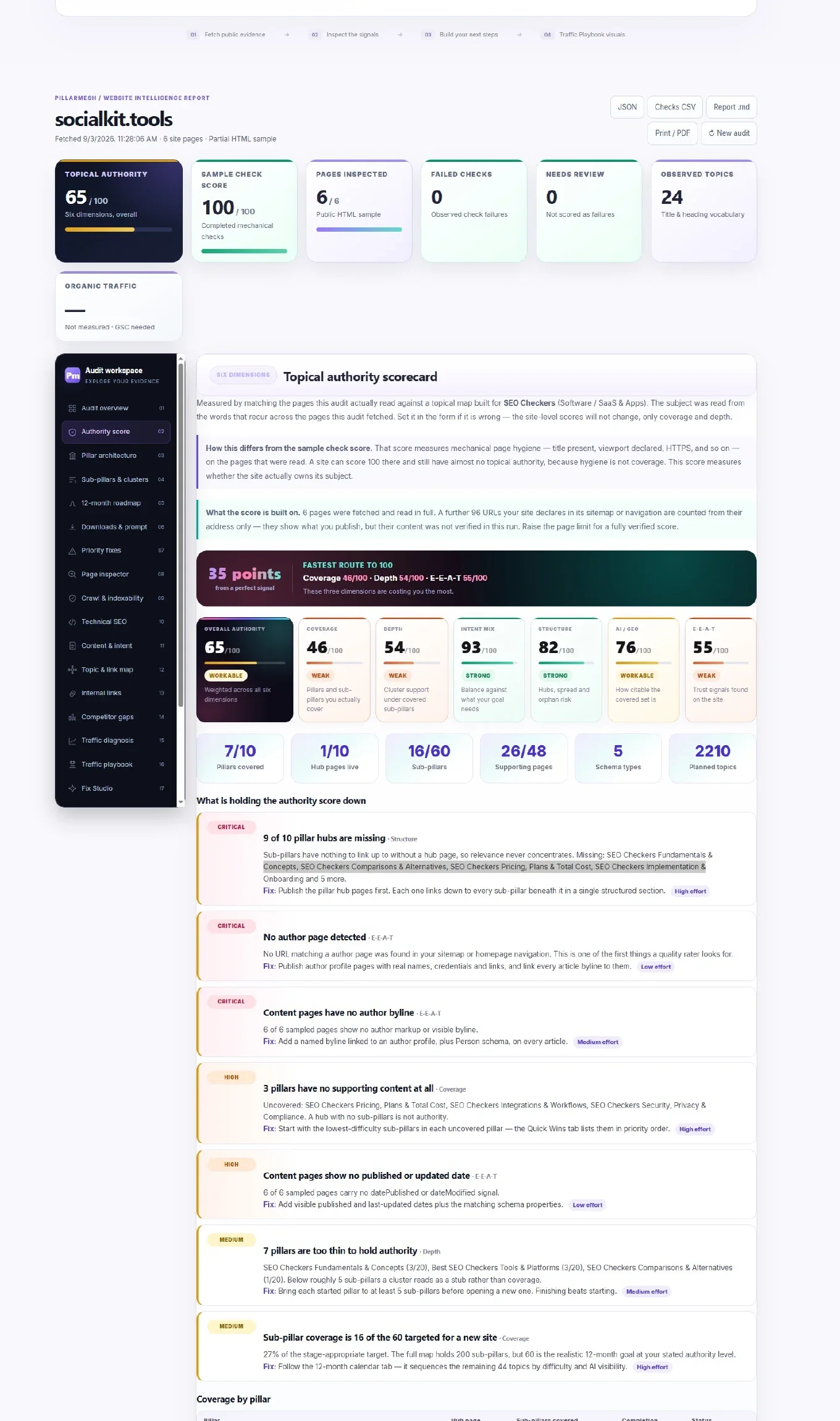
Review the score breakdown alongside the supporting observations so the result is tied to visible evidence rather than a number alone.
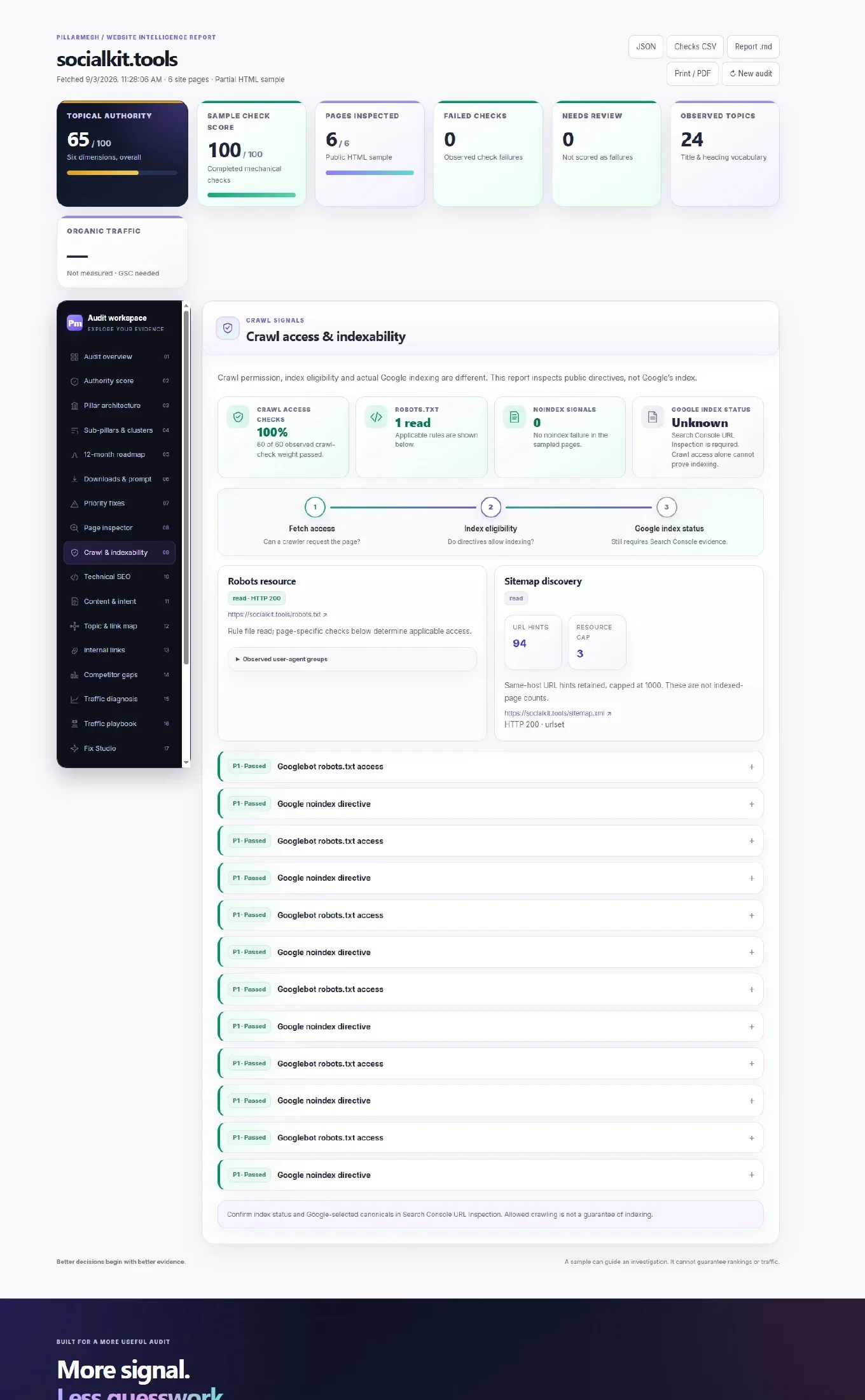
Inspect robots access, indexing hints, sitemap discovery and related checks with the underlying evidence kept close to each finding.
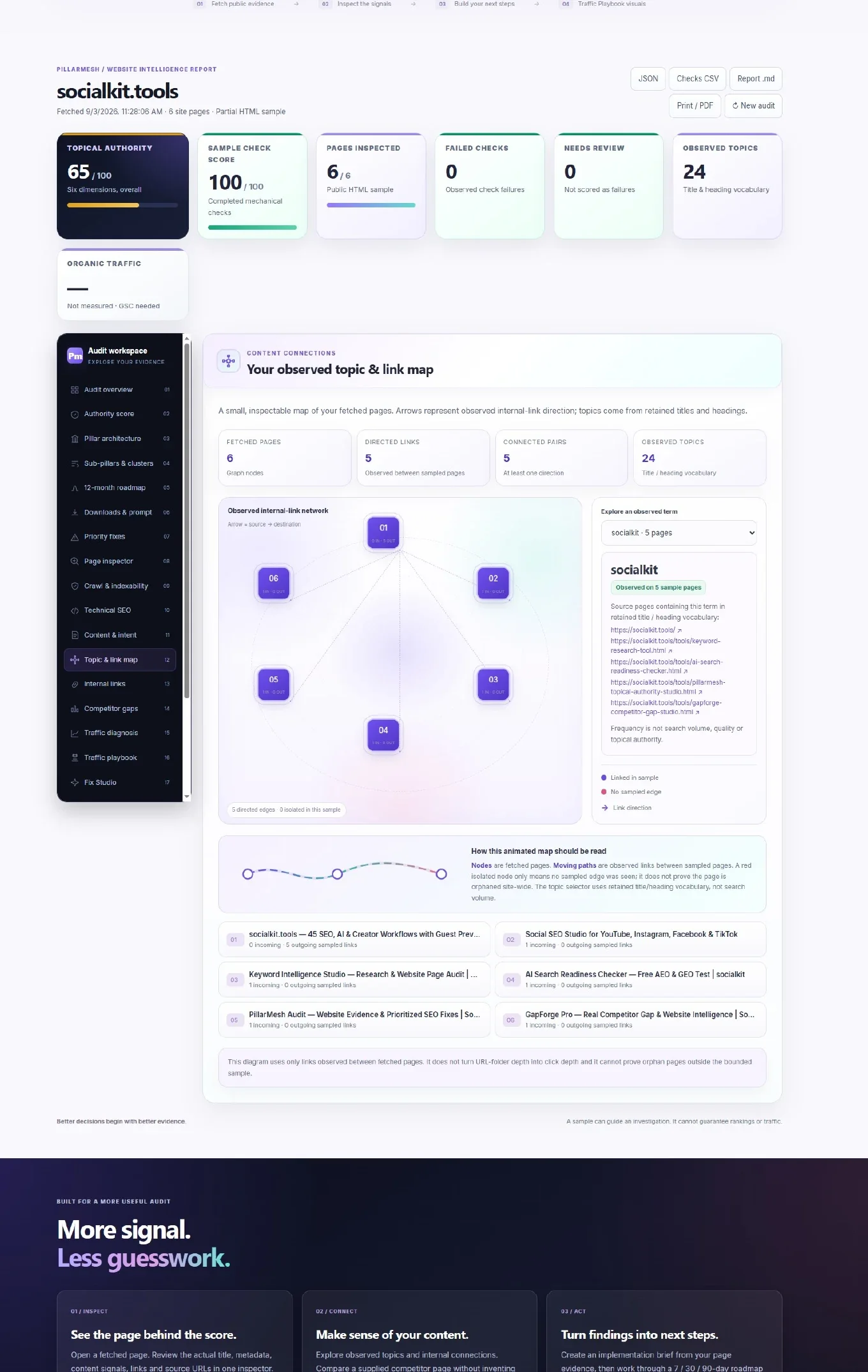
Explore observed topic clusters and internal-link opportunities to understand where important pages are connected, isolated or under-supported.
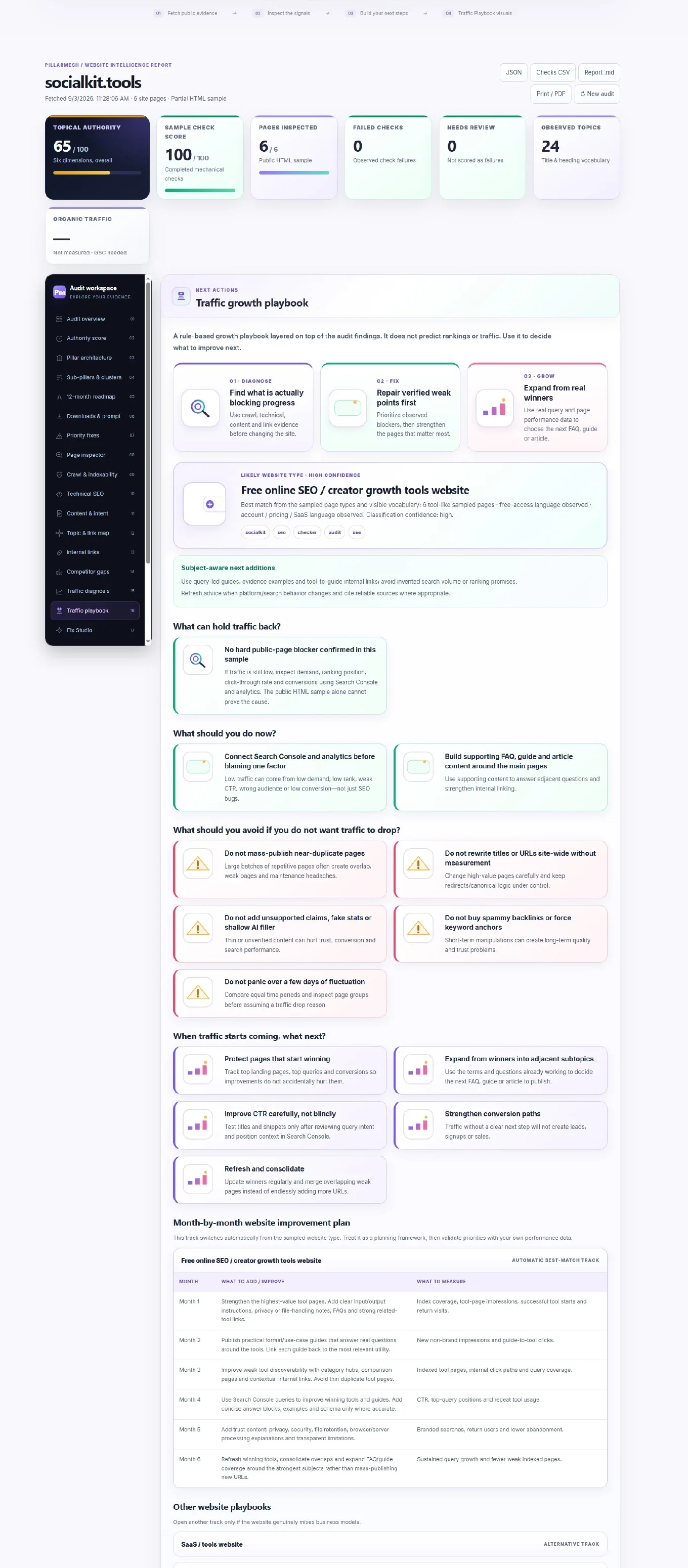
Use the final guidance to prioritize what to fix first, what to avoid and how to organize the next stages of improvement without treating estimates as facts.
PILLARMESH / WEBSITE INTELLIGENCE REPORT
BUILT FOR A MORE USEFUL AUDIT
Open a fetched page. Review the actual title, metadata, content signals, links and source URLs in one inspector.
Explore observed topics and internal connections. Compare a supplied competitor page without inventing keyword demand.
Create an implementation brief from your page evidence, then work through a 7 / 30 / 90-day roadmap with verification steps.
KNOW WHAT YOU'RE MEASURING
Use this report to prioritize work. Validate important decisions against your own performance data.
No. It is the weighted pass rate of completed mechanical checks in a small sample. Review and unknown checks are excluded. Exact weights and points are visible. Content quality and E-E-A-T are not assigned invented scores.
It can identify public-page blockers and investigation paths. Impressions, rankings, clicks and conversions require Search Console or analytics. A successful crawl does not prove Google indexing, and no traffic growth is guaranteed.
Start by fixing observed crawl and technical failures, then review the most important pages, connect Search Console and expand support content with FAQs, guides and articles. The tool now includes a rule-based traffic playbook for the likely website type.
Common avoidable mistakes include blocking valuable pages, mass-changing titles or URLs, creating many near-duplicate pages, publishing filler content, and reacting to short-term fluctuations without checking page groups or equal date ranges.
Protect winning pages, expand adjacent subtopics, improve conversion paths, and refresh or consolidate overlapping content. Do not endlessly add URLs without reviewing what is already working.
FAQs answer recurring questions, guides provide step-by-step depth, and articles expand topical coverage. Together they improve classic SEO, make direct answers easier to extract for answer engines, and strengthen generative-engine trust when paired with unique examples and clear entity signals.
No. It reads public HTML, up to three sitemap resources, and at most six site pages within a shared time budget. JavaScript-only content and larger sites need browser rendering or a larger crawl.
No. It assembles rule-based implementation briefs from the selected page and observed checks. Drafts are labeled, editable and require review. No external AI service or invented page content is involved.
A term found in the supplied competitor page's title or headings but absent from sampled site titles and headings. It is a low-confidence research lead, not proof of a site-wide gap or a ranking opportunity.
KEEP LEARNING
Learn how to read the report, understand the score and use the new traffic playbook safely.
See a practical article covering barriers, mistakes, monthly improvements and what to do after traffic starts growing.
Use FAQ, guide and article content to support search, answer extraction and generative-engine discovery.
KEEP LEARNING
Use the proof checklist inside Traffic Playbook after an audit, then follow the matching guide.
Use genuine work, helpful tutorials and internal links. Check indexing and real performance before diagnosing zero traffic.
Read the practical guide →Read the evidence, keep limitations visible and make one focused improvement at a time.
Open the tool guide →Plan accurate About, Contact, methodology and proof content using the website’s real subject and evidence.
Use the trust prompt →