UNIFIED · 4 platforms in 1

Social SEO Studio

Choose YouTube, Instagram, Facebook or TikTok, enter the real listing or post details, and get a platform-specific score, prioritized fixes and exportable recommendations from one professional workspace.

Social SEO Studio (4-in-1)Your tool. Connected workflows.
Social SEO Studio · Product walkthrough

Preview the platform-specific review workflow.

Watch the original portrait walkthrough without cropping. The studio adapts its inputs and recommendations to the platform you choose.

HD · Portrait · Silent
Workspace overviewOpen video in a new tab ↗

Silent recording. Use fullscreen for a closer look. Video loads when you press play.

Explore the details

YouTube, Instagram and Facebook workflows

Explore platform settings ↗

The portrait recording keeps its original proportions. Suggestions do not guarantee rankings, reach or sales.

Recorded example. Your inputs and results will differ. Current plans and limits apply; some recorded interface labels may be older.

From your URL to a platform-specific report

These examples are captured from the Social SEO Studio interface. The exact score, checks and recommendations change according to the platform and content you submit.

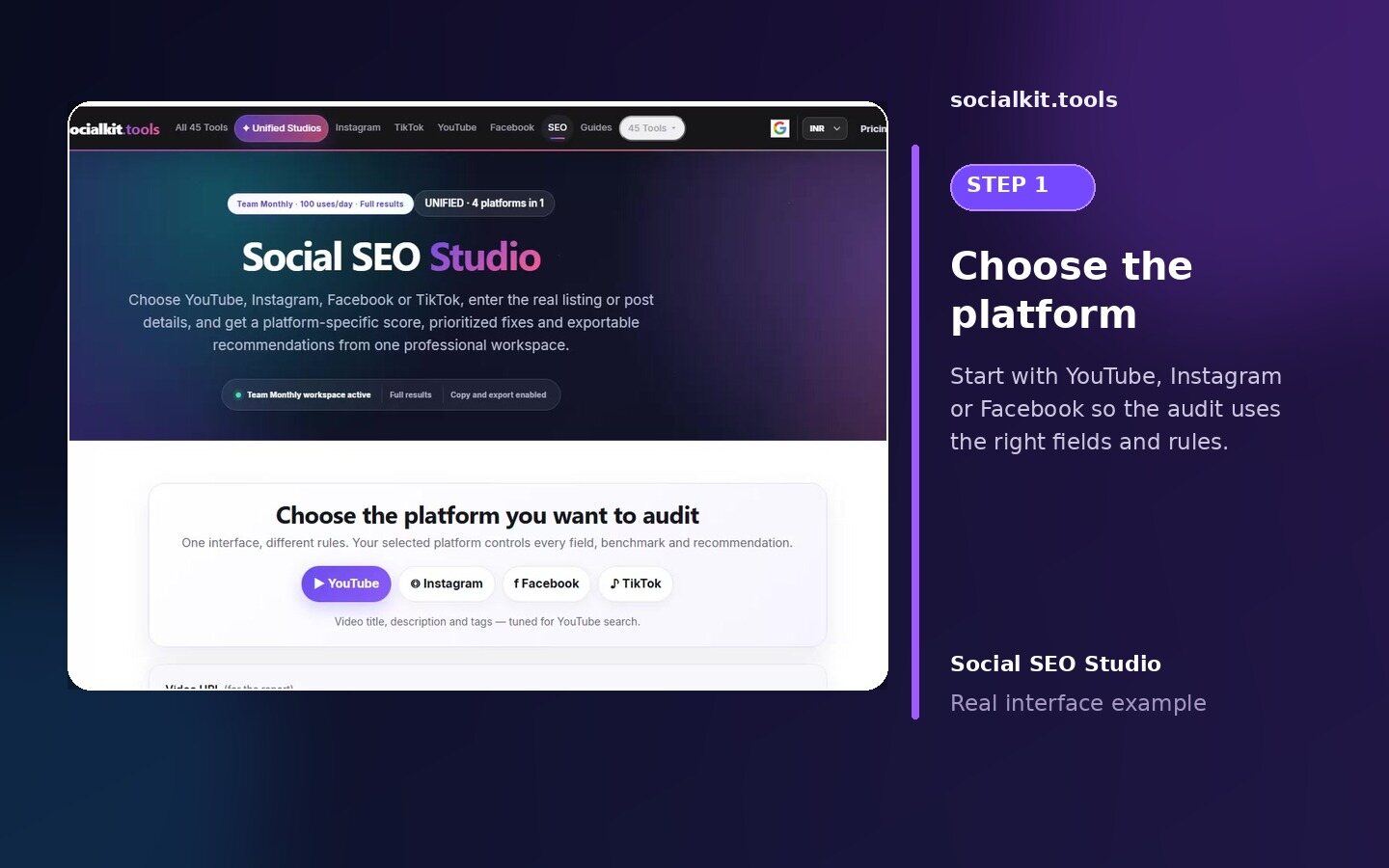
Choose a platform in Social SEO Studio
Step 1

Choose the platform.

Select YouTube, Instagram or Facebook so the workspace loads the correct fields and platform-specific benchmarks.
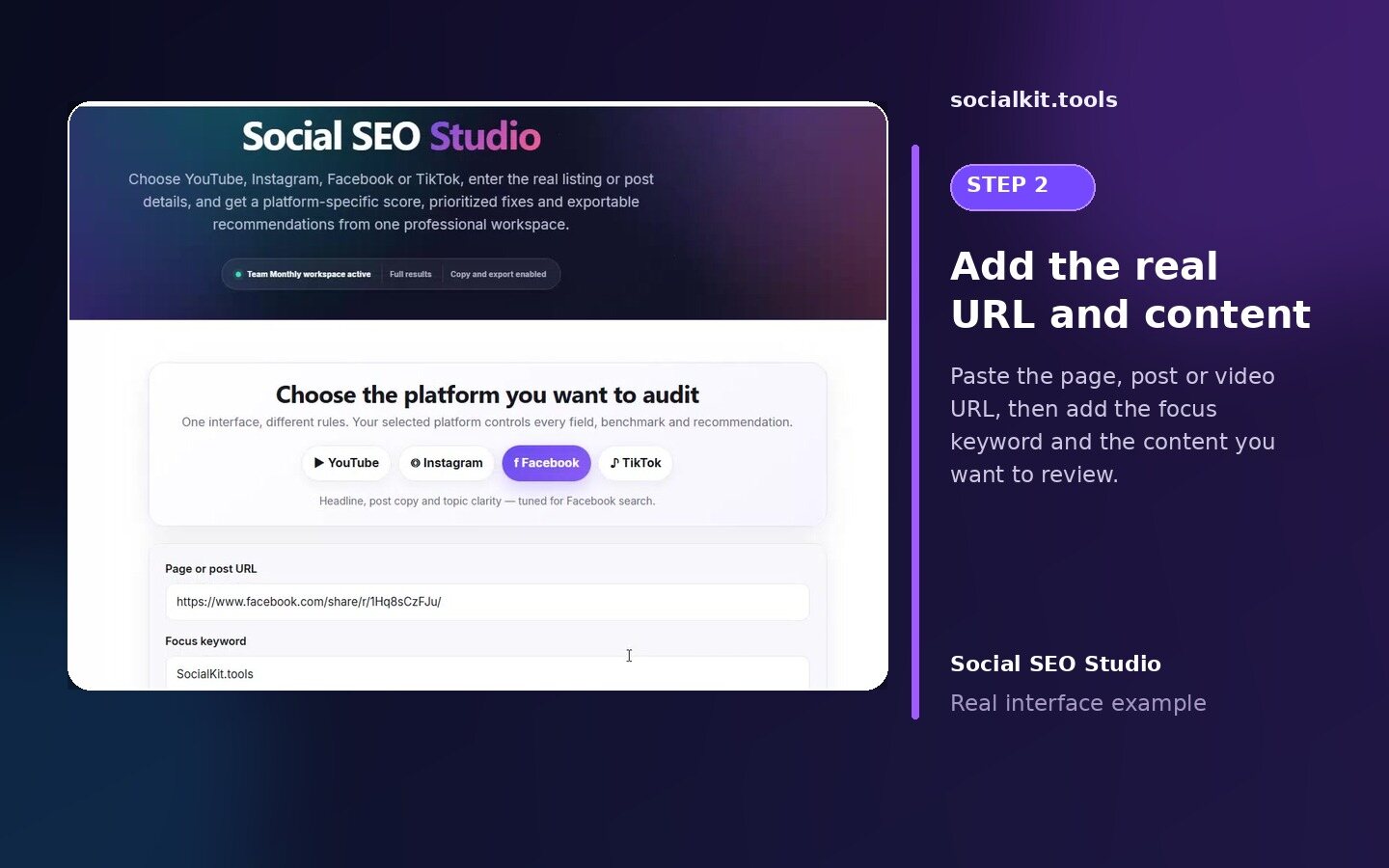
Add a real URL and content fields in Social SEO Studio
Step 2

Add the real URL and content.

Paste the page, post or video URL, then add the focus keyword and the content you want the studio to review.
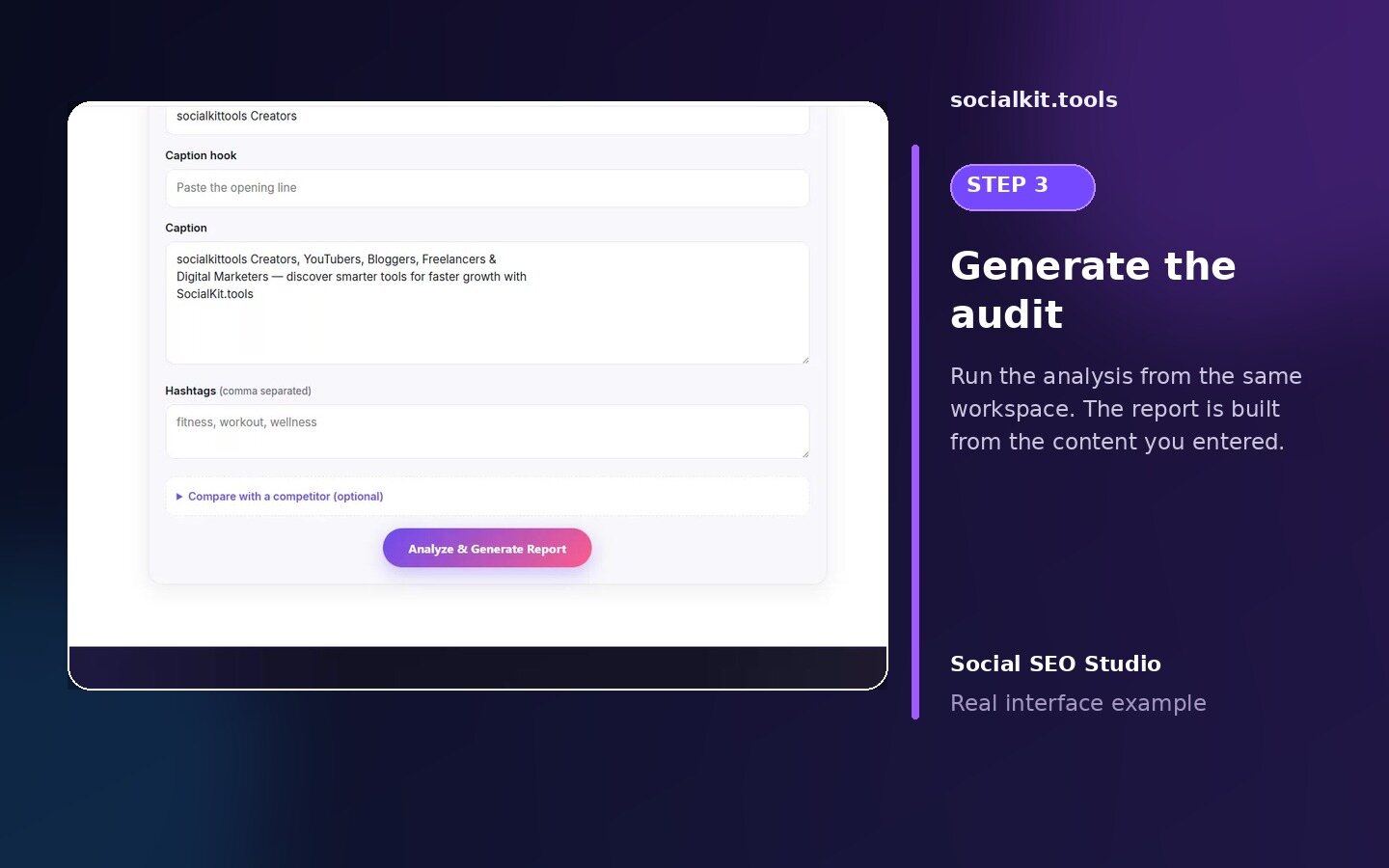
Generate a platform-specific audit in Social SEO Studio
Step 3

Generate the audit.

Run the analysis from the same workspace. The report is built from the details you entered instead of a one-size-fits-all checklist.
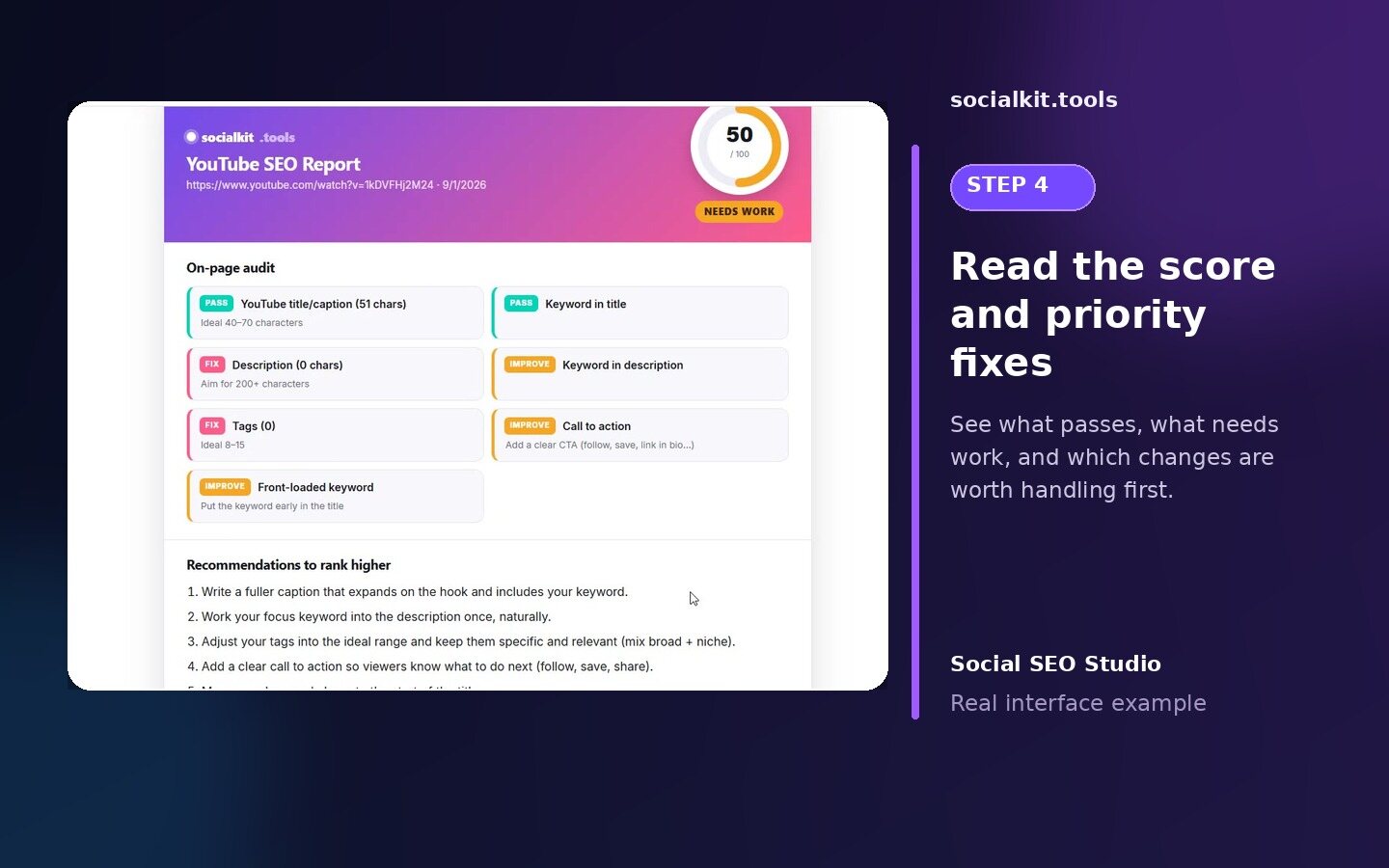
Review score and priority fixes in a Social SEO Studio report
Step 4

Read the score and priority fixes.

See what passes, what needs work and which improvements are worth handling first.
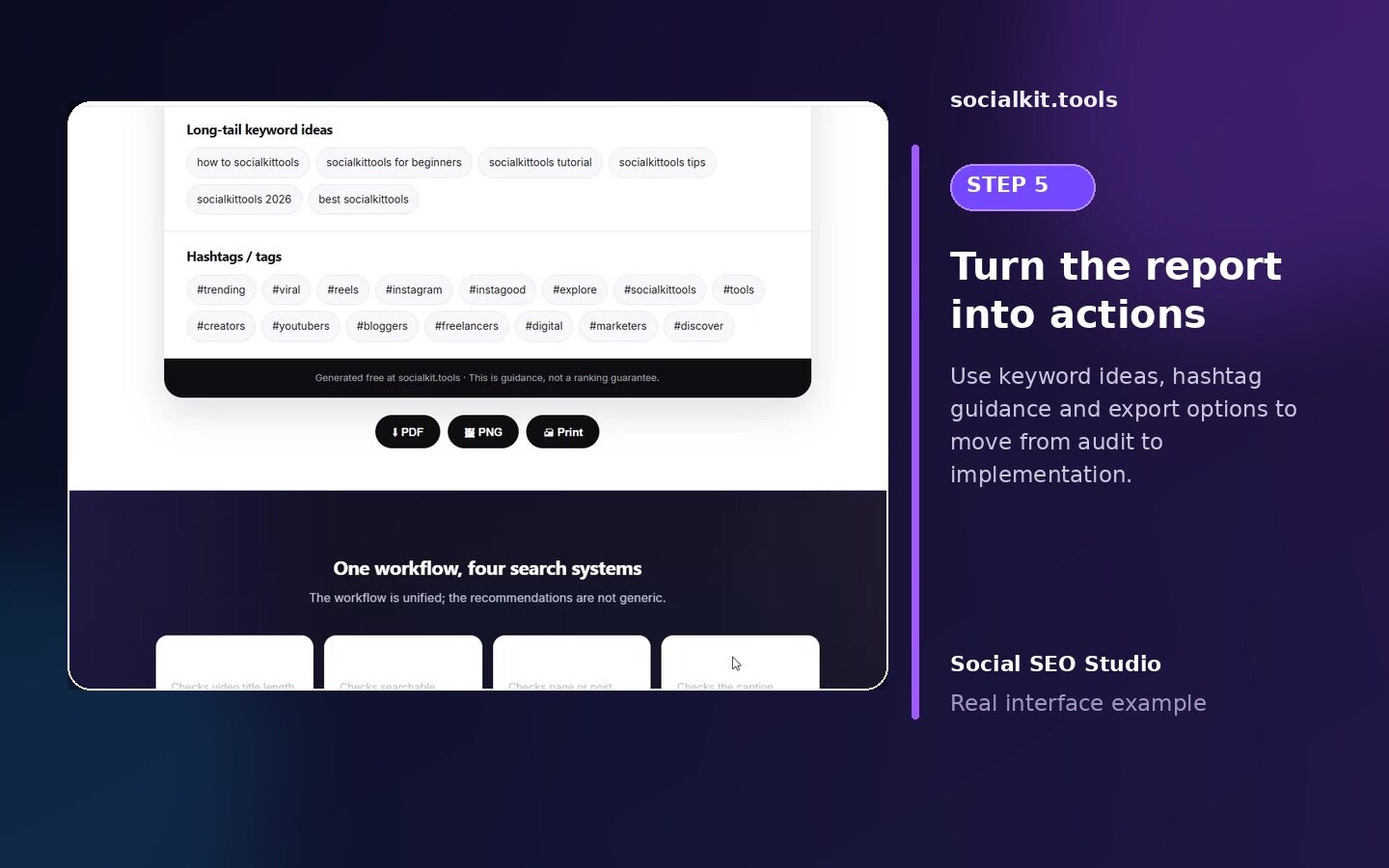
Use keyword ideas hashtags and export options from a Social SEO Studio report
Step 5

Turn the report into actions.

Use the recommendation list, supporting keyword or hashtag ideas and available export options to move from audit to implementation.

Score with statusSee an at-a-glance score alongside pass, fix and improve signals for the selected platform.
Priority recommendationsUnderstand what to change first instead of working through a generic list with no order.
Ideas and exportsReview supporting keyword or hashtag ideas and use the available report export actions when needed.
One workspace, different platform rules.Switching the platform changes the input fields, recommended ranges and resulting fixes. The workflow stays familiar while the audit logic stays platform-specific.

One workflow, four search systems

The workflow is unified; the recommendations are not generic.

YouTube SEO

Checks video title length, description depth, focus-keyword consistency and a focused tag set.

Instagram SEO

Checks searchable caption language, topic clarity and a relevant hashtag mix.

Facebook SEO

Checks page or post headline, supporting copy, keyword use and concise hashtags.

TikTok SEO

Checks the caption hook, searchable topic phrase and a compact hashtag set.

How to use the unified Social SEO Checker

  • 1. Select the exact platform.
    Do not reuse one platform's limits for another.
  • 2. Add your real content.
    Paste the title, caption, description and tags users will actually see.
  • 3. Fix red items first.
    Prioritize missing keywords, unclear topics and truncation risks before refinements.
  • 4. Export and re-check.
    Apply the recommendations, then run the same platform audit again.

How this differs from SocialScope Growth Studio

This checker focuses on the SEO of one social listing or post. SocialScope Growth Studio audits broader public-profile evidence and builds a 30-day growth system. They are complementary, not duplicate tools.

Continue with the right platform workspace

After the audit, open the relevant grouped catalogue: YouTube tools, Instagram tools, Facebook tools or TikTok tools.

Frequently asked questions

No. Selecting a platform loads its own fields, length guidance and tag or hashtag benchmarks.
Yes. Use the four buttons above the workspace. The checker rebuilds itself for the selected platform.
They served the same search-audit intent. One canonical studio reduces choice overload while retaining every platform-specific capability.
Yes. Labels, recommended ranges and resulting fixes change with the selected platform.