
Keyword Research
Start with one seed and choose your source.
Enter a topic or niche, select the engine and research depth, then run the search to expand the seed into live suggestion groups.
Discover live search phrases, audit a published page against its target keyword, or scan for stuffing and hidden-text risks. Pick the workflow you need below—without hunting through duplicate tools.
Watch the real workspace move from keyword discovery to a live-page audit and an integrity check. Then use the result previews below to understand what each workflow returns.
These examples are captured from the real Keyword Intelligence Studio interface so you can recognize the input, result and next-action areas when you use the tool yourself.
Enter a topic or niche, select the engine and research depth, then run the search to expand the seed into live suggestion groups.
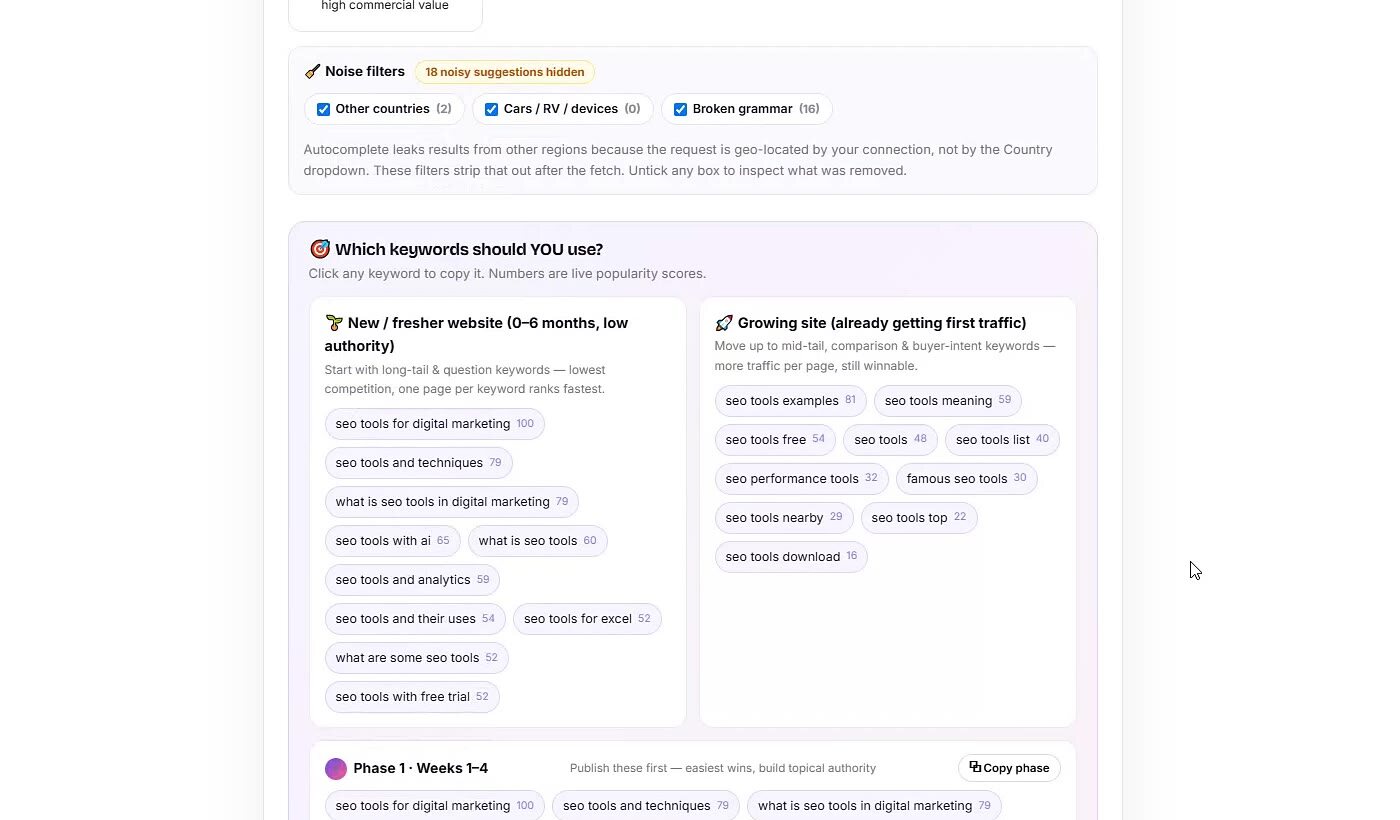
Review grouped recommendations for newer and growing sites, then use the phase suggestions to decide what to work on first.
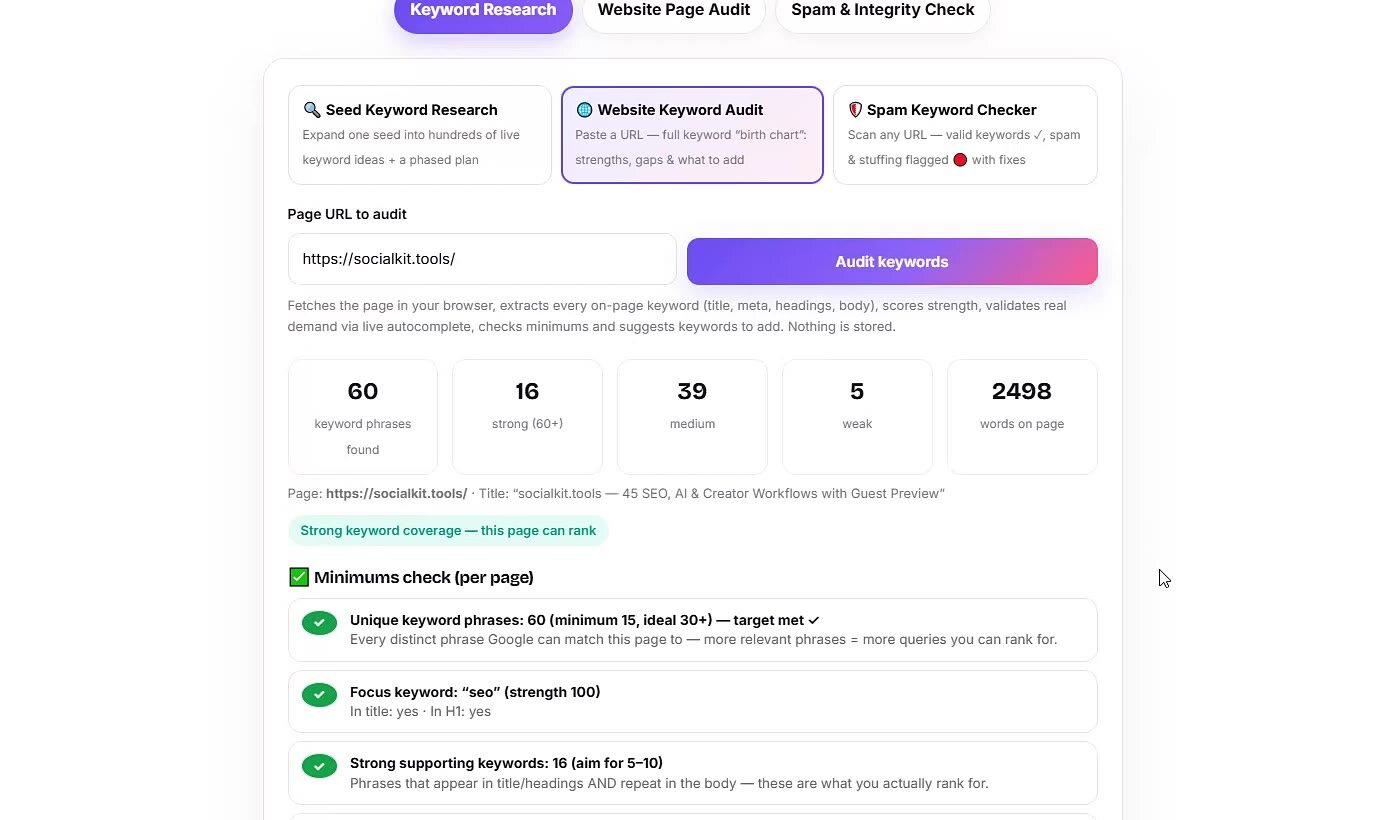
After you paste a URL, the audit summarizes keyword phrases, stronger and weaker areas, page size and the checks that need attention.
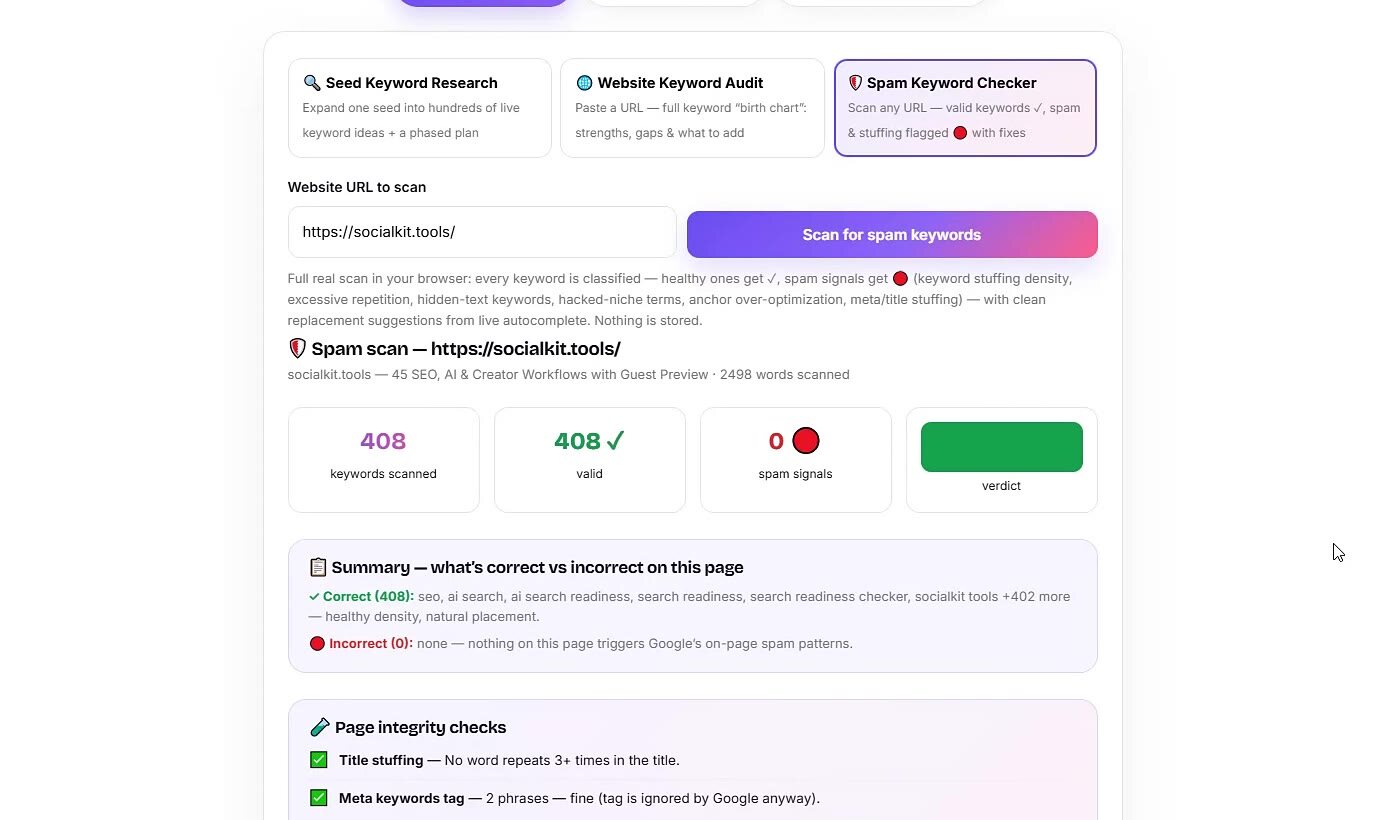
The result summarizes scanned keywords, valid terms, spam signals and page-integrity checks so you can inspect anything that needs review.
Each mode has a distinct job, input and report—combined here because they belong to the same keyword decision process.
It fires dozens of expansion queries at the live autocomplete API of your chosen engine — the seed alone, seed + every letter a–z, question words in front, prepositions and buyer modifiers around it (Deep mode adds numbers and 20 commercial modifiers). Every returned suggestion is a phrase real people are typing today. Duplicates are merged, each keyword gets a popularity score from its autocomplete rank and how many variants surfaced it, an intent label, and a question flag — then it all lands in a filterable, sortable, exportable table.
Each tab maps to a content strategy: Questions feed answer-engine and FAQ content, Comparisons capture people choosing between options, Buyer-intent phrases belong on product pages, and Long-tail phrases are the lowest-competition wins for a new site. The table below shows the mapping at a glance.
| Tab | Pattern | Best used for |
|---|---|---|
| All | Every unique suggestion found | Topic mapping, content calendars |
| Questions | how / what / why / can… | FAQ sections, AEO answer pages, featured snippets |
| Comparisons | vs, alternative, compare | High-converting comparison posts |
| Buyer intent | buy, price, best, review | Product and landing pages |
| Long-tail | 4+ word phrases | Low-competition blog posts |
Most keyword research tools charge for stale volume data; this keyword research tool free version reads live autocomplete instead — the exact phrases people are typing right now. That freshness is why it is often listed as the best keyword research tool free of signups.
The third tab is a full spam keywords checker: paste any website URL and it runs a real scan in your browser — nothing simulated, every verdict is computed from the fetched page. Each keyword found is classified: healthy ones get a green ✓ (with live-autocomplete demand marked ⚡ on the strongest), while spam signals turn red 🔴 in a table that shows the exact reason — density percentage, repeat count, where it was found — and a concrete fix for each one.
These are the same on-page patterns Google's spam policies describe publicly. A page that scans CLEAN here has no on-page spam pattern holding its rankings back; off-page issues like bought links need SERP Audit and Search Console.